How do I download my remediated (accessible) PDFs?

  1. Login to the All in One Accessibility Dashboard.

    Login page with email and password fields on the left and accessibility profile illustrations on the right.

  2. Go to “Accessibility Add-On Services.”

    Accessibility dashboard with sidebar for managing plans and add-on services

  3. Click on “PDF / document Accessibility Remediation.”

    All in One Accessibility dashboard showing PDF remediation section and menu

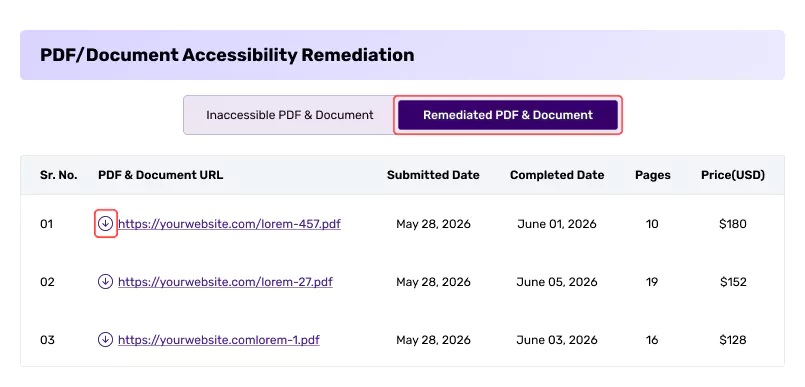
  4. You can view the list of "Remediated PDF & Document”. You can download it from there.

You will also receive an email once the remediated PDFs are ready.

Did this help resolve your question?