How to replace my company's logo with Skynet Technologies at the accessibility widget?
Login to the Agency Partner Dashboard.

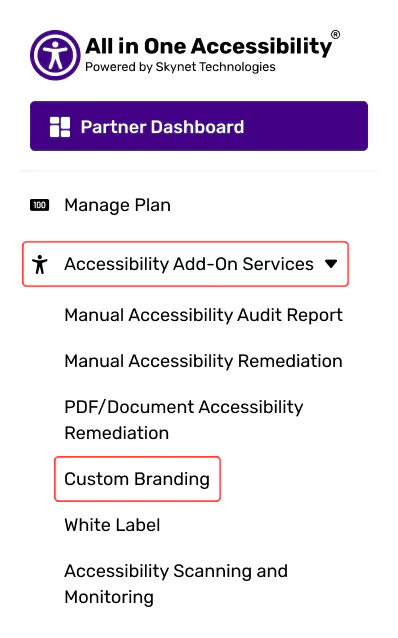
Navigating to the “Accessibility add-on services”

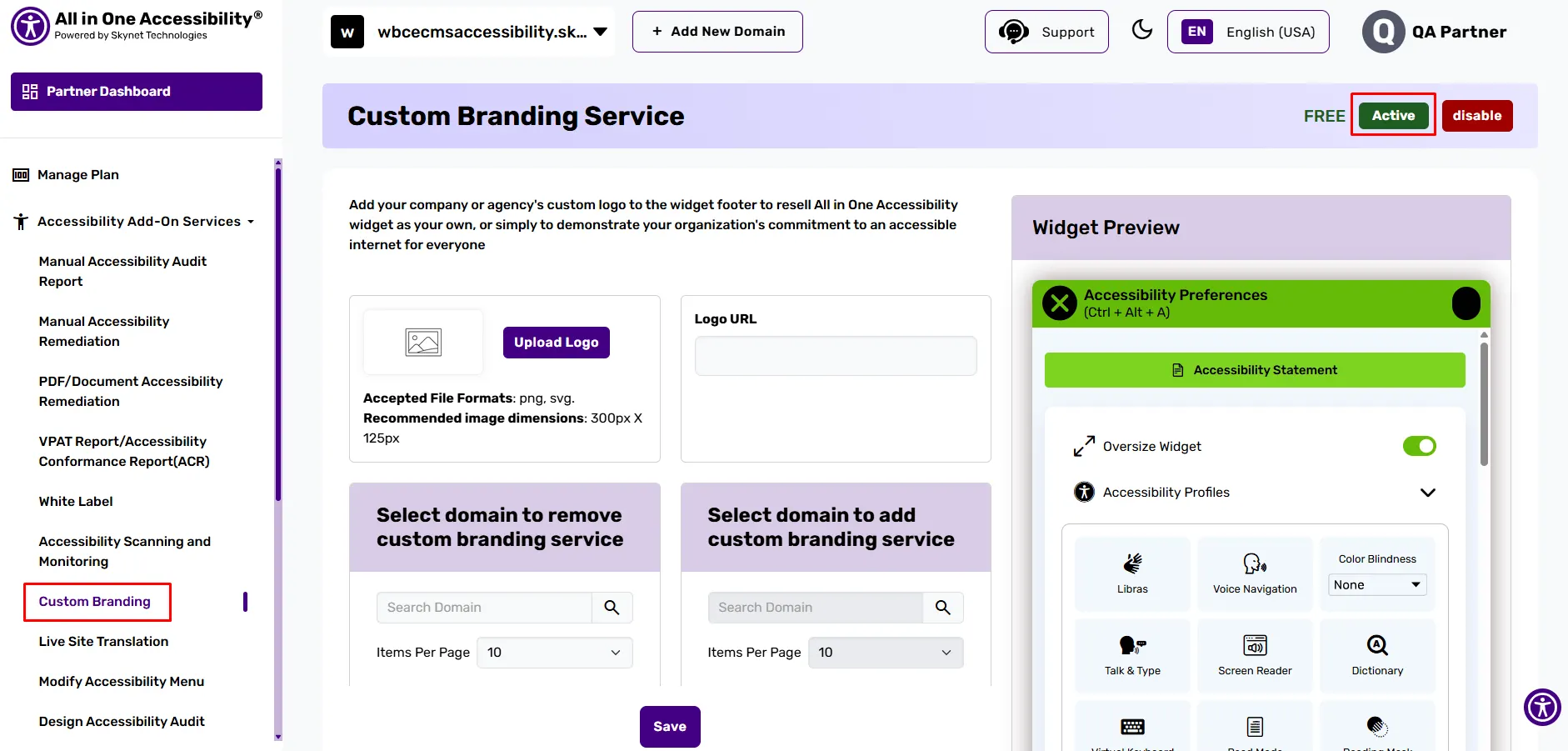
Go to the “Custom Branding” option and activate it.

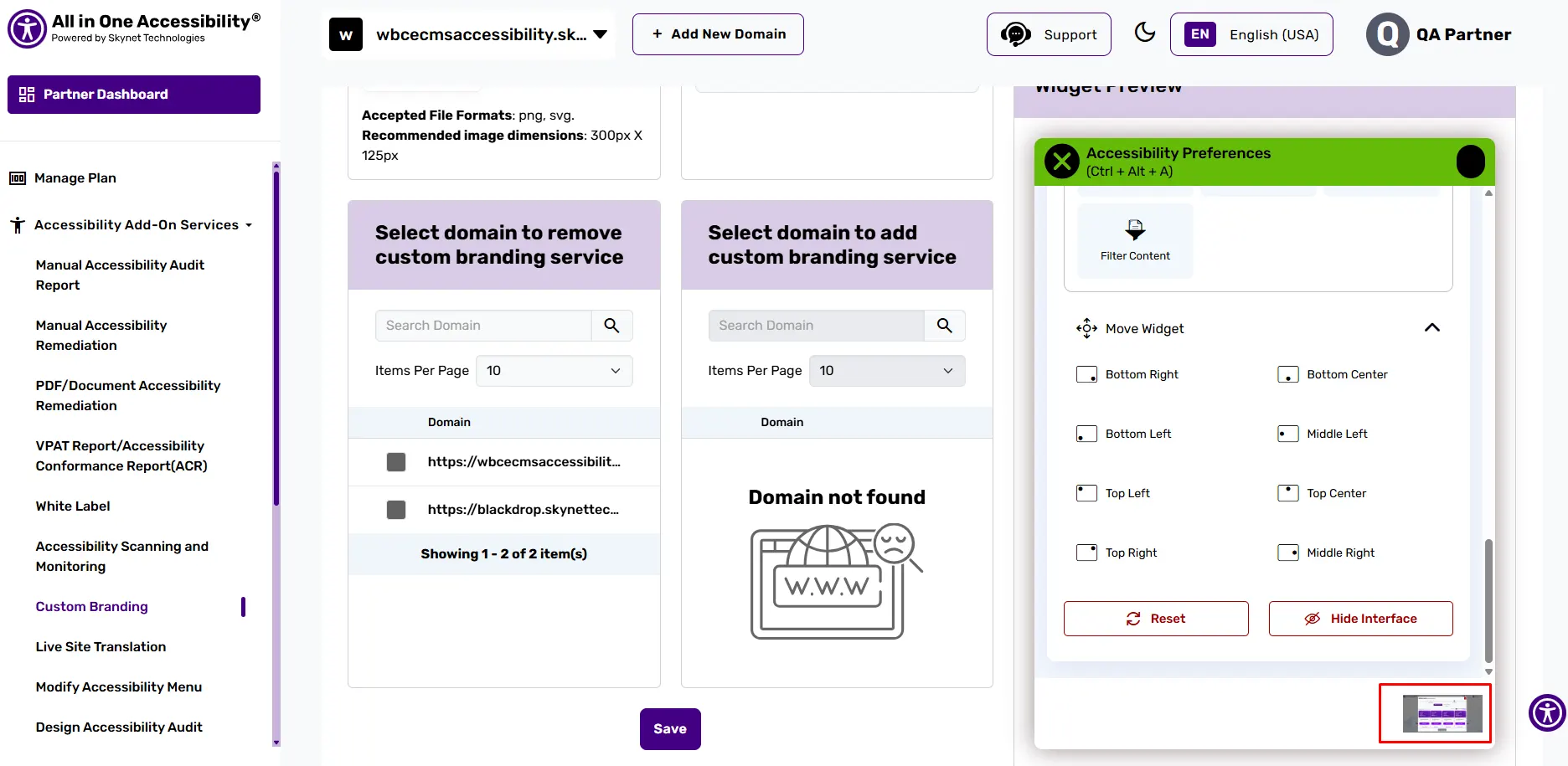
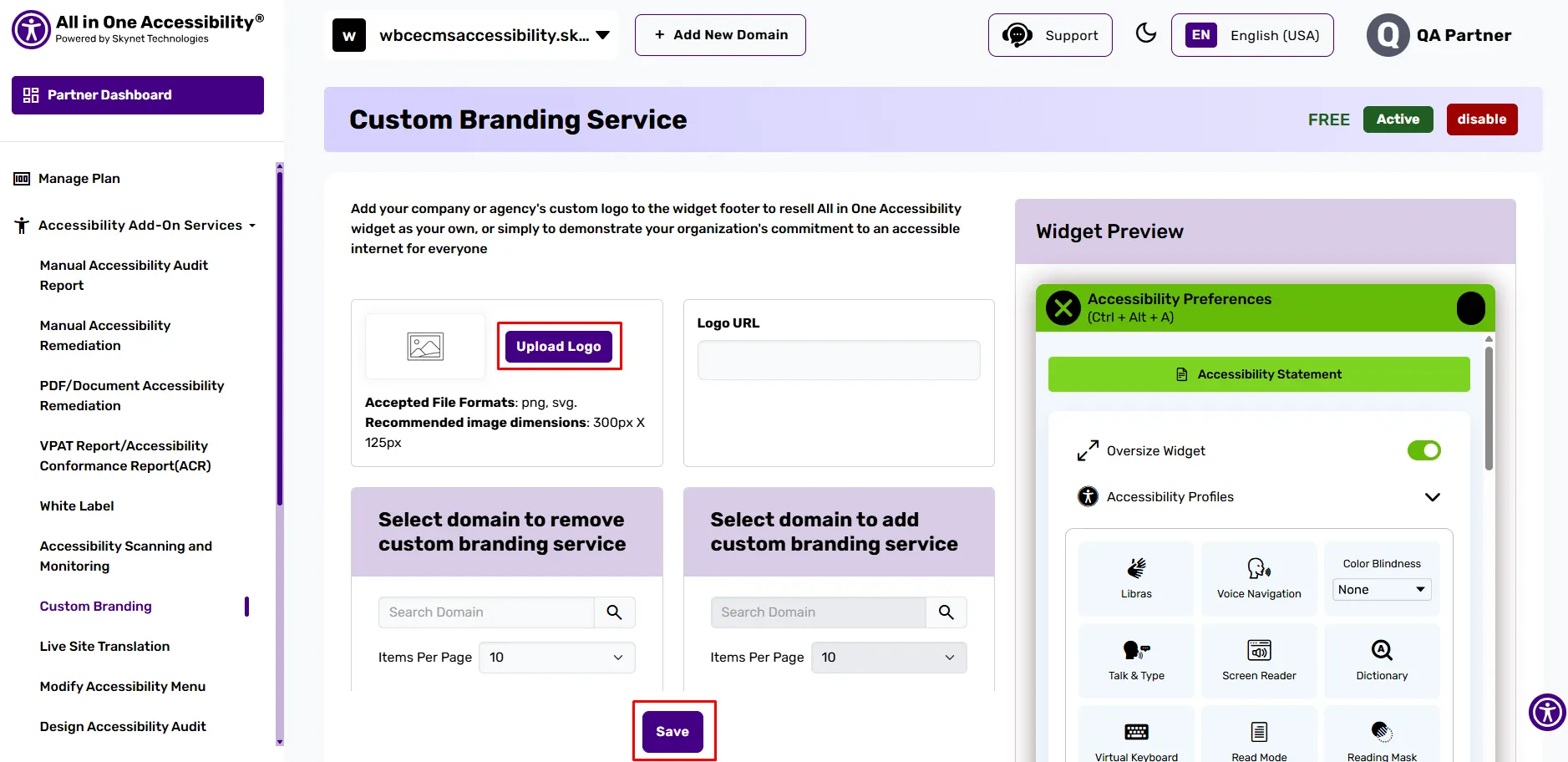
Upload the agency or company logo and save it.

Related Articles
How to add a client's website / domain to my partner's dashboard?
How to remove Skynet Technologies logo from an accessibility widget?
I manage multiple client websites. Can I replace default Skynet Technologies branding with my agency branding on the accessibility widget?
How to change or update widget settings separately for each client's website?
Where can I manage the billing for multiple client websites?
Where can I download the invoice?
Where can I view subscription plan details for each client?
What if a client changes their website domain?
What if a client wants to cancel their subscription plan, Will I get a refund?
How to update the credit card if it has expired?
Where can I add a client's VAT number?
Did this help resolve your question?