How can I set up Google Analytics 4 integration with accessibility widget dashboard?
Follow these steps to integrate Google Analytics 4 to track accessibility widget usage and user interactions. To set it up, follow these steps:
- Log in to the Accessibility Dashboard
- Go to Widget Settings
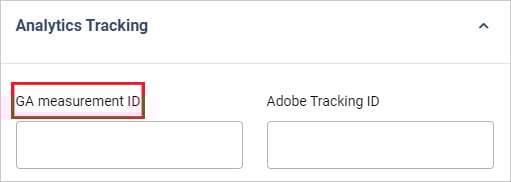
- Open the Analytics Tracking section
Enter Google Analytics 4 Measurement ID (format: G-XXXXXXXXXX)
- Save the settings.

If you have any questions or queries, reach out support@skynettechnologies.com